

Solar System Documentation: What to Keep for Warranty, Insurance, and Resale
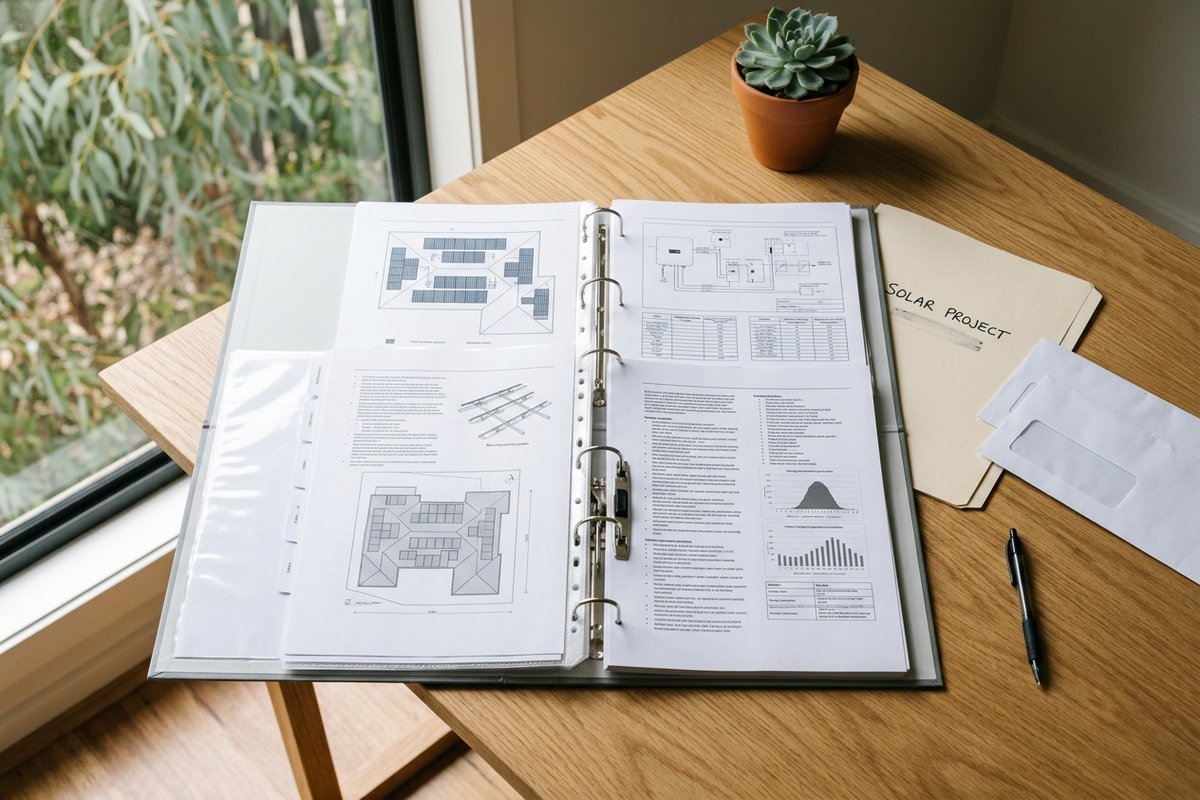
When you sell your home, install another system, or make an insurance claim, the paperwork matters. Australian homeowners regularly discover at the worst possible moment, claim, sale, or fault, that the documentation supplied at the time of solar installation is incomplete, missing, or scattered across emails from years ago. Getting your solar paperwork organised once, and keeping it organised, is one of those low-effort moves that prevents real costs later.
### What documentation you should have
After a residential solar install in Australia, the installer should provide a documentation package. The full set typically includes:
1. The installation contract. The original agreement covering scope, pricing, warranties, timeline, and any inclusions/exclusions.
2. Site plan and array layout. A diagram showing where panels are positioned, the number of panels, the panel orientations, and any tilt frames or specific mounting arrangements.
3. Single-line electrical diagram. A technical diagram showing the electrical layout: panels, combiner boxes, inverter, isolators, switchboard connection, and metering. Required for any future work on the system.
4. Panel datasheet and serial numbers. The manufacturer's technical specifications for the specific panels installed, plus the serial numbers of each panel. Needed for warranty claims and for proving the system specification at sale time.
5. Inverter datasheet and serial number. Same as above, for the inverter.
6. Mounting hardware specifications. Brand and model of the rails, clamps, and brackets. Some warranty claims (particularly for failure of mounting) require this.
7. CEC approval certificates. Documentation that the panels, inverter, and battery (if installed) are on the CEC approved products list. Required for STC eligibility and often referenced for insurance.
8. SAA accreditation reference for the installer. The installer's SAA accreditation number and the specific accreditations covering your install type (GCPV for solar, GCBS for battery, etc.).
9. STC declaration and assignment paperwork. If you assigned STCs to the installer as a discount, the paperwork showing what was claimed and any related Clean Energy Regulator documentation.
10. Grid connection paperwork. Endeavour Energy (for most Central Coast homes) or your distributor will have a connection approval letter for the system. This proves the system is registered and approved for grid export.
11. Commissioning certificate / Compliance Certificate. The final document signed when the system is energised and tested. In NSW this includes the electrical Certificate of Compliance for Electrical Work (CCEW). Critical for warranty, insurance, and resale.
12. Monitoring app credentials. The original account set up for monitoring (Solar.web, iSolarCloud, FusionSolar, etc.). Should be in your name or transferable to your name.
13. Warranty paperwork. Three separate warranties typically apply: - Panel manufacturer warranty - Inverter manufacturer warranty - Installer workmanship warranty
Each has its own terms and claim process. Keep all three documents accessible.
### What's actually critical
Of that full list, three documents matter most for the most common scenarios:
For warranty claims: Commissioning certificate, panel/inverter/installer warranty paperwork, panel and inverter serial numbers.
For insurance claims: Commissioning certificate, single-line electrical diagram, panel and inverter datasheets, photos of the system at install time.
For selling the home: All of the above. Buyers in 2026 increasingly ask for full system documentation, a missing commissioning certificate is a red flag that can affect the property's sale.
If you're missing some of these, your installer should be able to reissue them, but the time and effort is significantly higher years after install than at the time of install.
### Organising the documents
A simple system works well:
Digital folder: Create a folder named "Home > Solar" on your computer or cloud storage. Sub-folders for "Install Documents," "Warranties," "Monitoring Data," and "Maintenance Records." Scan or save digital copies of everything supplied at install.
Physical folder: Keep a single hardcopy folder with the original install paperwork, particularly the commissioning certificate and warranty cards. Some warranty claims still want originals.
Email archive: Save the email thread from the install. Quotes, scheduling, and any post-install communication can become relevant during disputes.
Photo archive: Take dated photos of the system shortly after install, the array on the roof, the inverter, the switchboard. These document the as-built condition and are useful for insurance and future buyers.
### Maintenance records that matter
Ongoing documentation builds value over time:
Professional inspection reports. Each professional maintenance visit should produce a written report. Keep these.
Self-inspection notes. A simple log of dates you checked production data, visual condition, or addressed minor issues. Doesn't need to be detailed.
Any repair or replacement work. If a panel is replaced under warranty, or the inverter is serviced, keep the paperwork. Serial numbers may change.
Performance history. A summary of annual generation figures (easy to export from most monitoring apps) shows the system's trajectory over time. Useful for spotting gradual issues and for proving system value at sale.
### Selling a home with solar
When you sell a home with solar, prospective buyers (and their conveyancing lawyers) increasingly request:
- Commissioning certificate (proves legal install) - Confirmation of grid connection approval - Inverter and panel warranty status (if any years remaining) - Recent generation figures (proves the system is working) - Monitoring app credentials transfer process
A property with full solar documentation sells more easily and often at a higher value than one with missing or unclear records. Setting this up at install time is significantly easier than reconstructing it years later from a less responsive installer.
### What to do if you can't find your documents
If you're missing documents:
Contact the original installer. They're legally required to retain certain records and can often reissue documentation. Speed depends on the installer.
Contact the panel/inverter manufacturer. They can confirm warranty status from the serial number alone, even without your paperwork.
Contact Endeavour Energy (or your distributor). They have grid connection records for any approved solar system in their network.
Check with the Clean Energy Regulator. For STC-claimed systems, the regulator's database confirms the install date and equipment from any registered claim.
Take new photos. If documentation is gone, recent photos of the system in operation plus current monitoring data establish a baseline for any future work.
If the installer has ceased trading entirely (which happens), other installers can perform a system assessment that effectively re-documents the install, generating new single-line diagrams, equipment lists, and condition reports.
### Frequently Asked Questions
#### What's the most important single document?
The commissioning certificate / Certificate of Compliance for Electrical Work. It confirms the system was legally and properly installed and is needed for warranty claims, insurance claims, and home sale. Without it, almost every other paperwork question becomes more complicated.
#### How long should I keep solar documentation?
For the lifetime of the system, plus 7 years after replacement or removal. Warranties run 10-25 years; insurance claims can reference paperwork decades old; future buyers want full history.
#### What if my installer is no longer in business?
The CCEW (Certificate of Compliance for Electrical Work) is held by the electrical contractor's licensing body in NSW (Fair Trading), so a copy can be requested even if the company is gone. Panel and inverter warranties are with the manufacturers, not the installer, so they remain valid. Workmanship warranty from a closed installer is harder, usually no recourse.
#### Do I need to update documentation if I add panels later?
Yes. Any addition or change to the system creates a new install event with its own paperwork, additional CCEW, updated grid connection approval, additional panel serial numbers. Keep both the original documentation and the addition documentation.
### Need Help with Your Erina Solar System Records?
Get a free, no-obligation system assessment from a local SAA accredited solar installer who provides full documentation.
[Button, Insert Custom Code: "Chat With Our Team", href: https://solarerina.com.au]
END OF TIER 2 CONTENT, 16 POSTS
Total approximate word count: ~30,000 words across 16 posts (averaging 1,800 words per post body, including FAQ and CTA blocks).
Variation summary across the 16 posts (lead-type tracking for content variation strategy compliance): - Data-point leads: Posts 1, 4, 11, 14 (4) - Counterintuitive leads: Posts 2, 8, 10 (3) - Real-cost leads: Posts 3, 6, 13 (3) - Question leads: Posts 5, 9 (2) - Comparison leads: Post 7 (1) - Scenario leads: Posts 12, 15 (2) - Practical leads: Post 16 (1)
All 16 posts use the H2/H3 FAQ hierarchy per Lesson 7.3. All posts use Erina-first geo references where applicable per Lesson 2.2. CTA blocks marked for Insert Custom Code button placement per Lesson 9.3. No business mentions, placeholders, or Custom Value tokens in body content per Lesson 7.1.
Talk to a Local Central Coast Electrician
Get a free, no-obligation quote from a licensed electrician serving the Central Coast.